For drivers
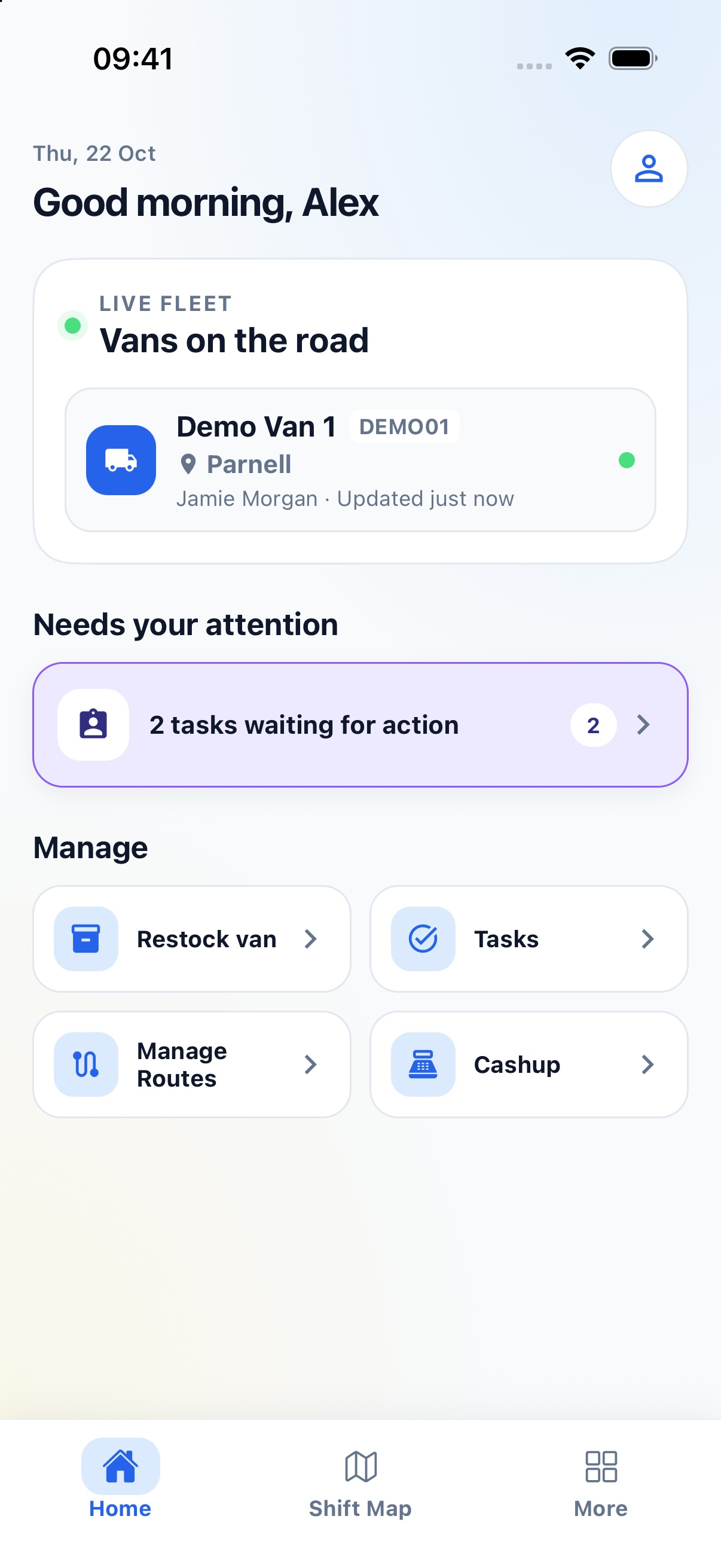
Start a shift, follow your route and respond to stop requests. Use the staff app to check tasks, restock the van and record daily checks.
 ScoopApp
Plan routes, see where your vans are and keep on top of tasks, stock and cash-ups. Drivers use the staff app; you manage the business through the admin portal.
Built in New Zealand with mobile food operators.
The product
The staff app and admin portal share the same records. Customers can see your vans through a separate tracking link.
Start a shift, follow your route and respond to stop requests. Use the staff app to check tasks, restock the van and record daily checks.
See where the vans are using a tracking link. Customers can also request a nearby stop where the business offers it.
Manage staff, vehicles and routes through the admin portal. Check outstanding tasks, see what stock is missing and review cash-ups.
The staff app
Staff can tick off stock, log fridge temperatures and complete a cash-up from their phone.
 View screenshot
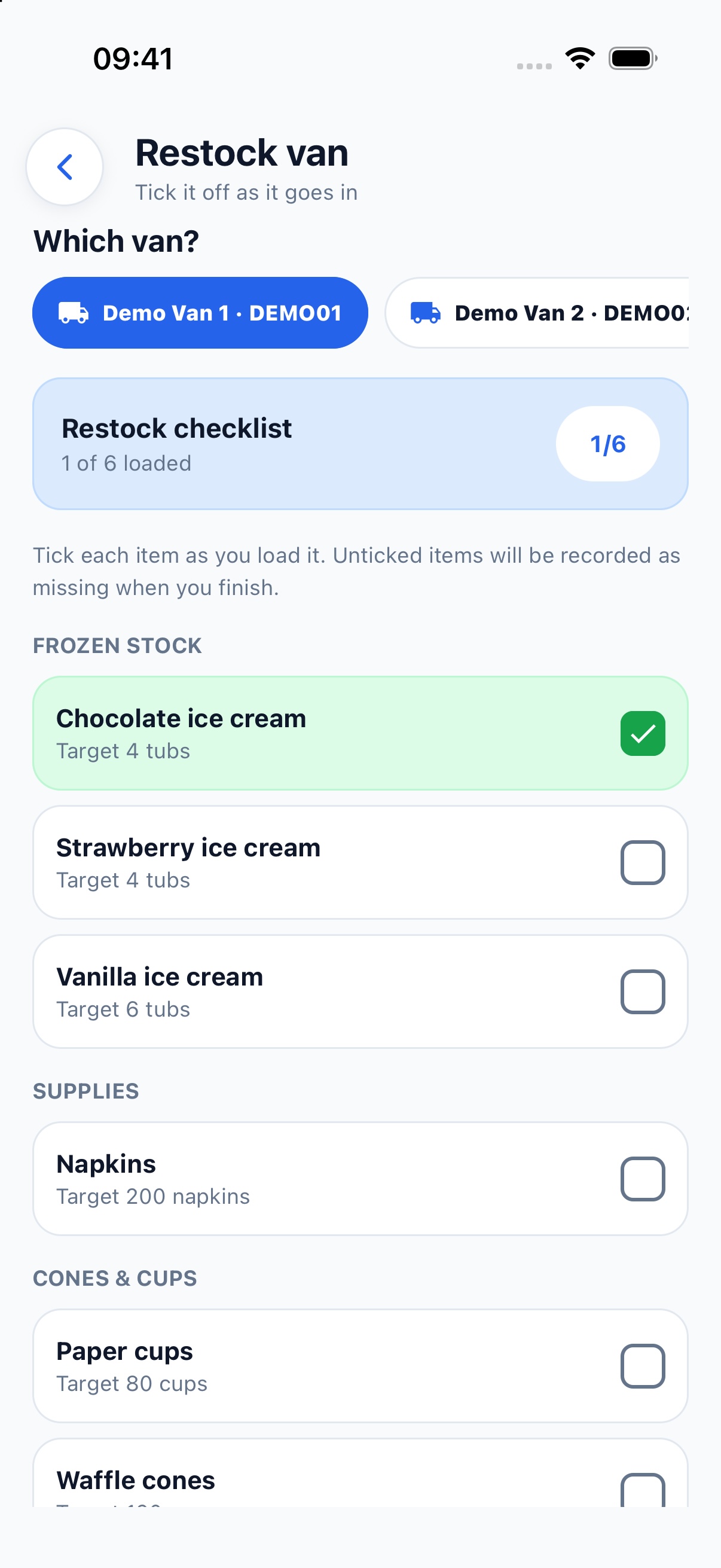
Tick off items as you load them. Each item has a target quantity, and anything missing is recorded for the office to follow up.
 View screenshot
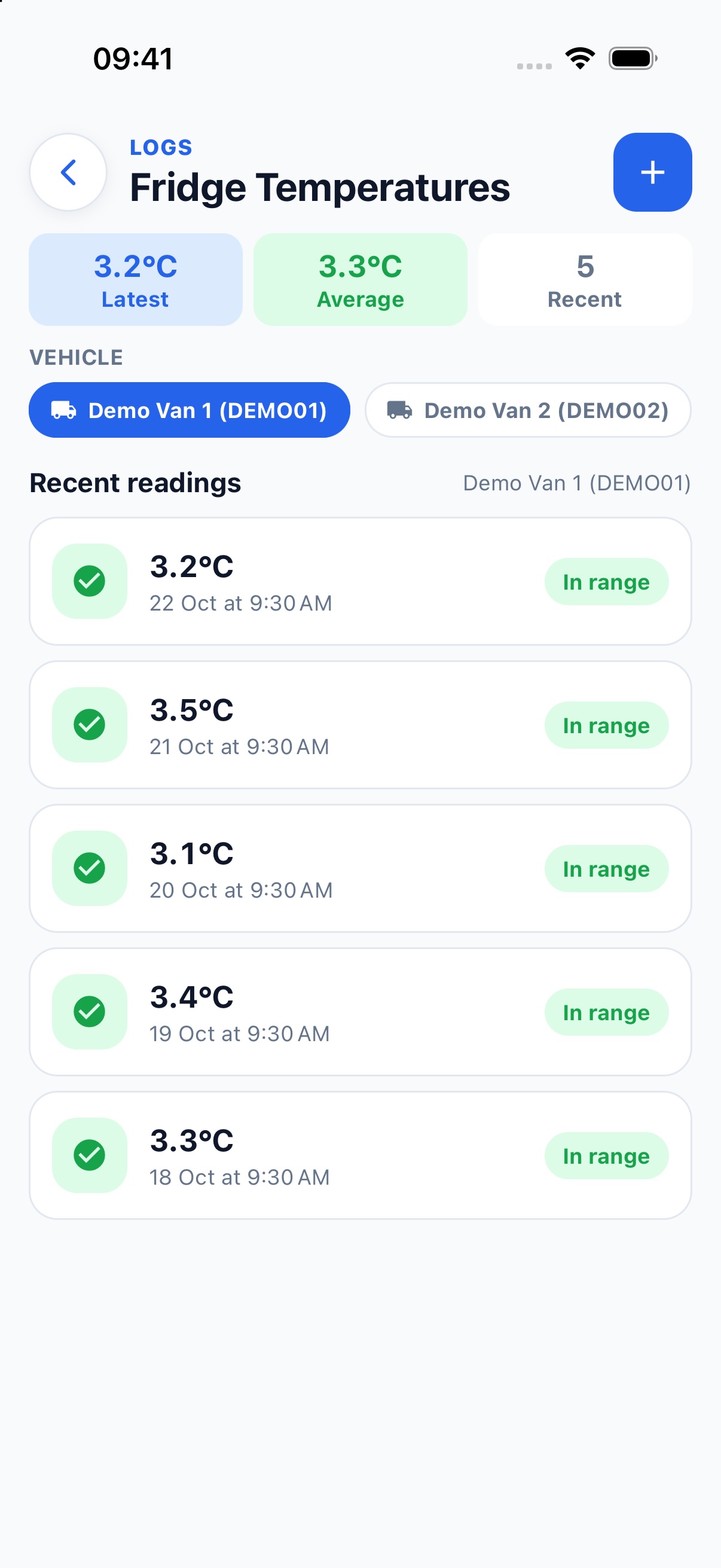
Select the van and enter a reading. You can look back through recent temperatures and see which readings are in range.
 View screenshot
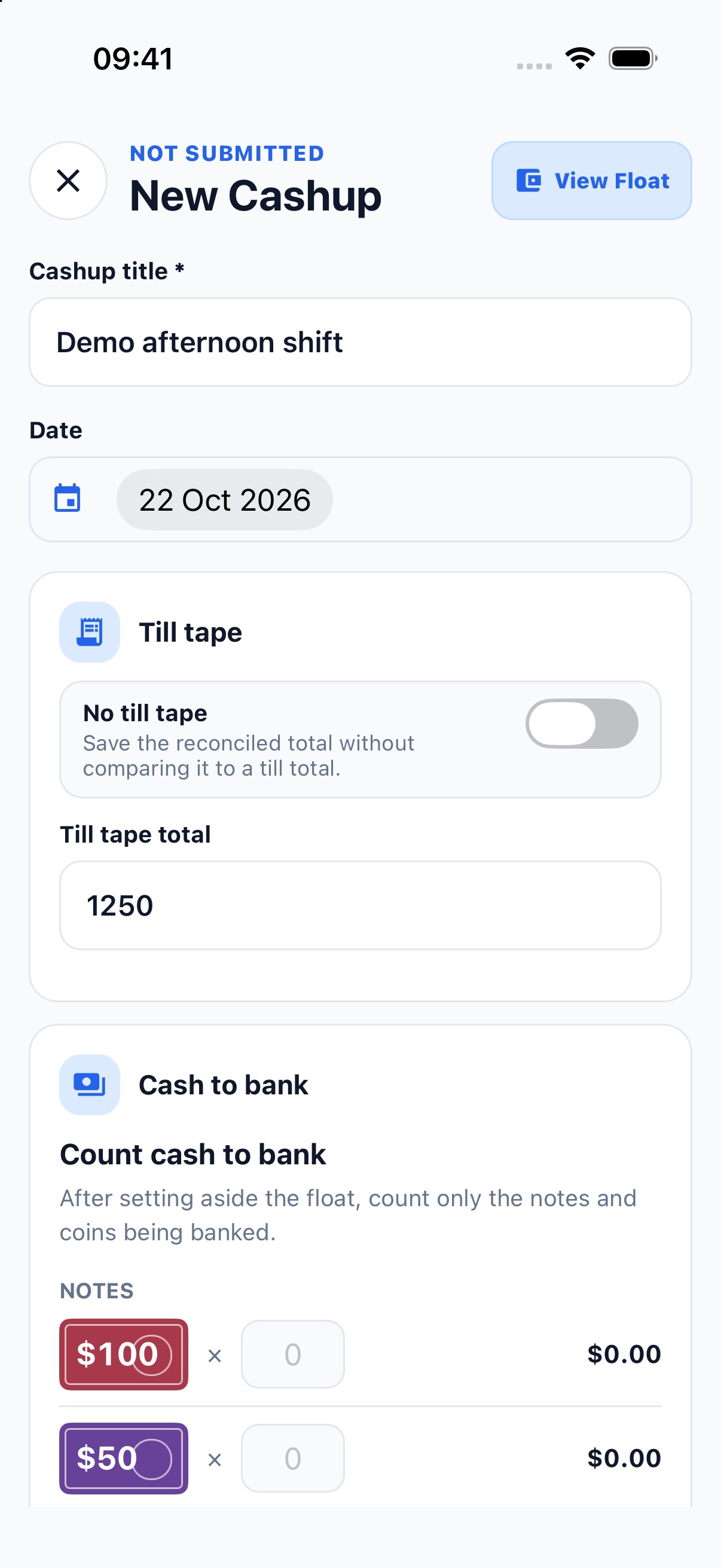
Enter the till total, set aside the float and count the cash to bank. The office can then review the cash-up in the portal.
Screenshots use sample data. Available features depend on your business’s setup.
The admin portal
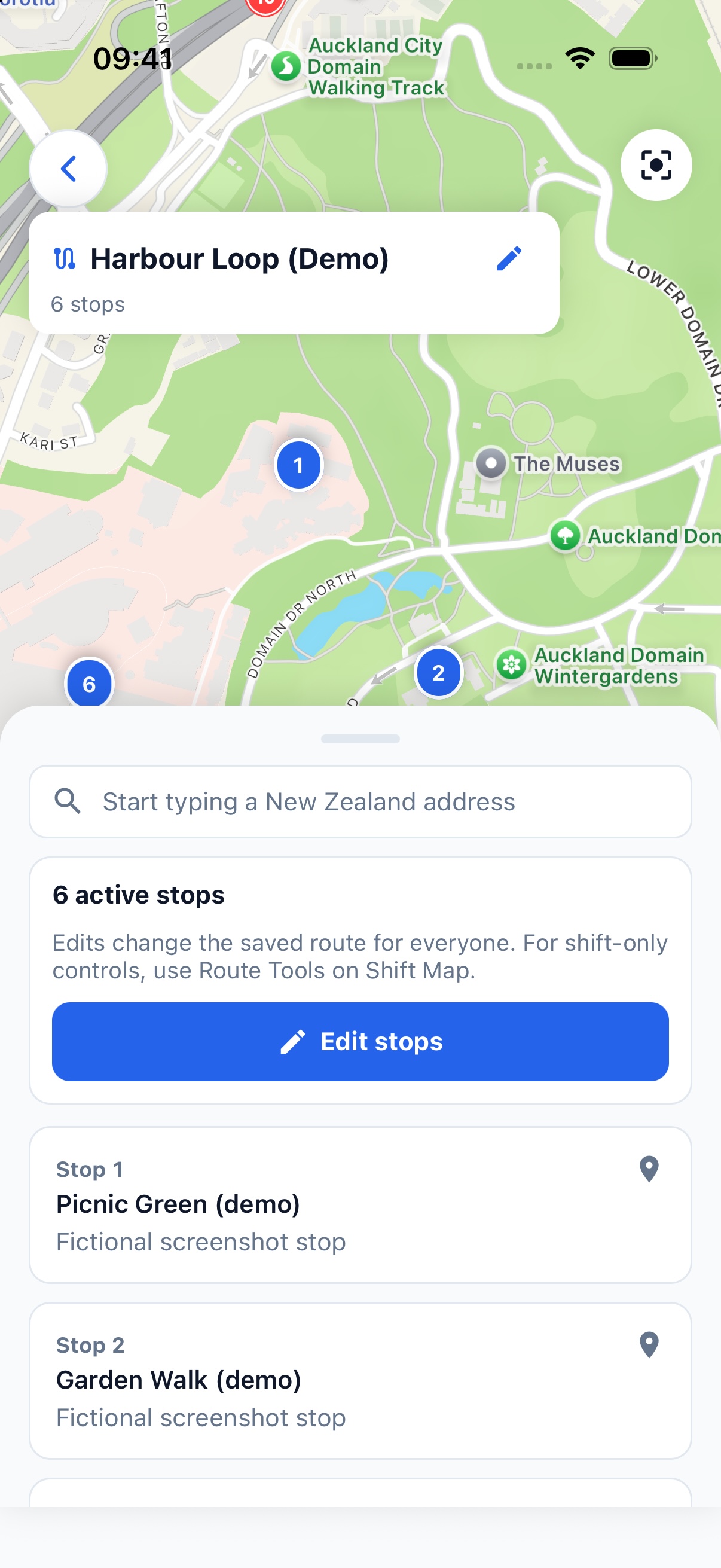
Set up staff, vehicles and routes, assign tasks and review what’s been completed. The dashboard shows outstanding work and vehicle reminders.
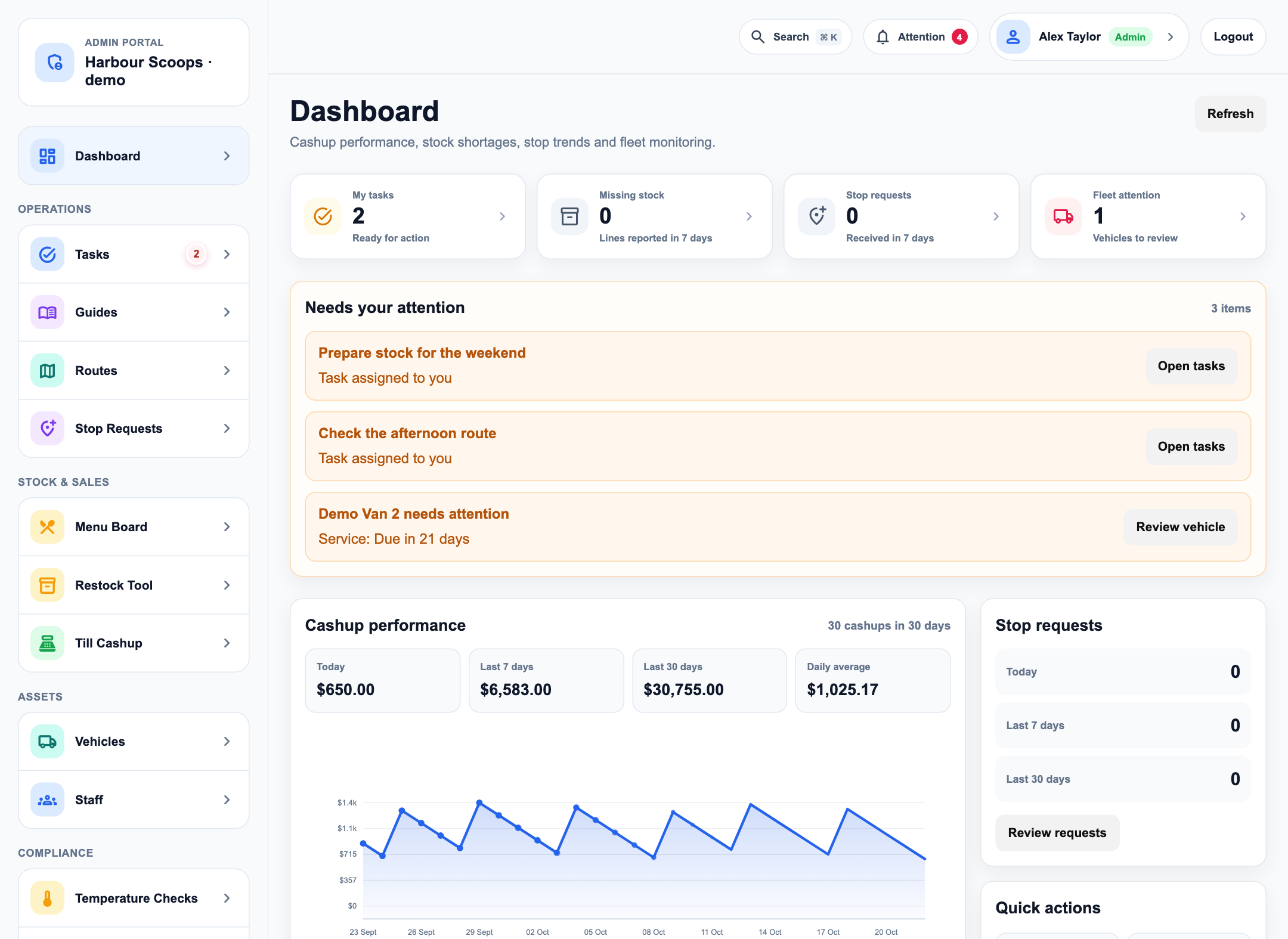
Add team members, manage their access and keep vehicle details up to date.
Manage saved routes, assign work and check customer stop requests.
Review cash-ups, restock shortages and reports from the portal.
Admin portal shown with sample data.
Live van tracking
Put your tracking link on your website or Facebook page. Customers can open the map in their browser to see which vans are out and where they are.
Website stop requests are currently available to selected businesses.
Open The Ice Cream Truck trackerPricing
We’re currently getting ready to launch and will have more information on pricing to share shortly.
Contact
Tell us a bit about your business and what you need help with. We’re happy to show you the app and answer any questions.